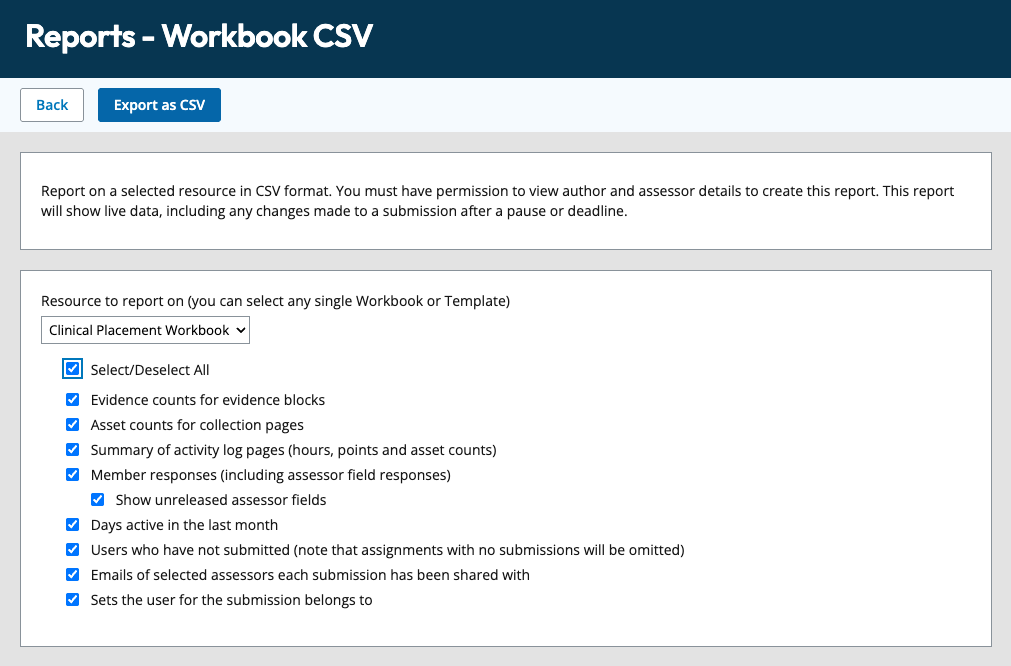
A Workbook CSV report allows you to export a complete dataset of student workbook responses. You can select the features you wish to include in your report.
The Workbook CSV report is a beta feature. An organisation manager will need to activate the ATLAS organisation setting, and a workspace manager activates the workspace setting for the report to be available.
Run a report
Where the same template or workbook has been submitted multiple times, by the same learner or a group of learners, this report allows you to export a complete dataset of student workbook responses.
To report:
- Navigate to the submission list.
- Click Report from the top of the screen
- Choose Workspace CSV
- Choose the components from the workbook that you wish to report on
- Click Export as a CSV
- You will receive an email with a link to access