A workspace about page provides an introduction and summary for learners, assessors, managers and externals of the resources, assignments and submissions used.
About page
Where enabled, the workspace about page is used to provide a summary for the people enrolled. It gives a simple text overview, or if multimedia is required, an asset can be linked to - such as a portfolio.
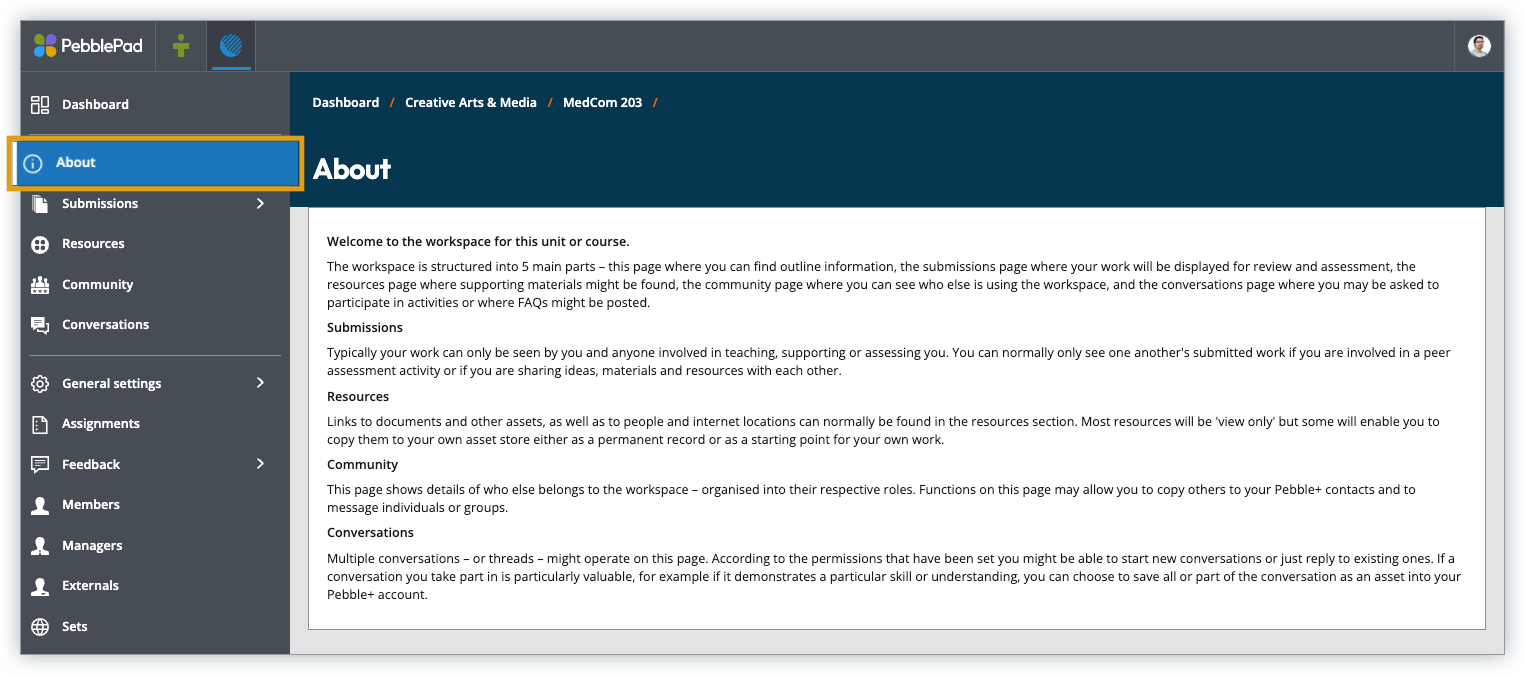
The about page must be enabled for workspaces with self-subscription.
Edit page
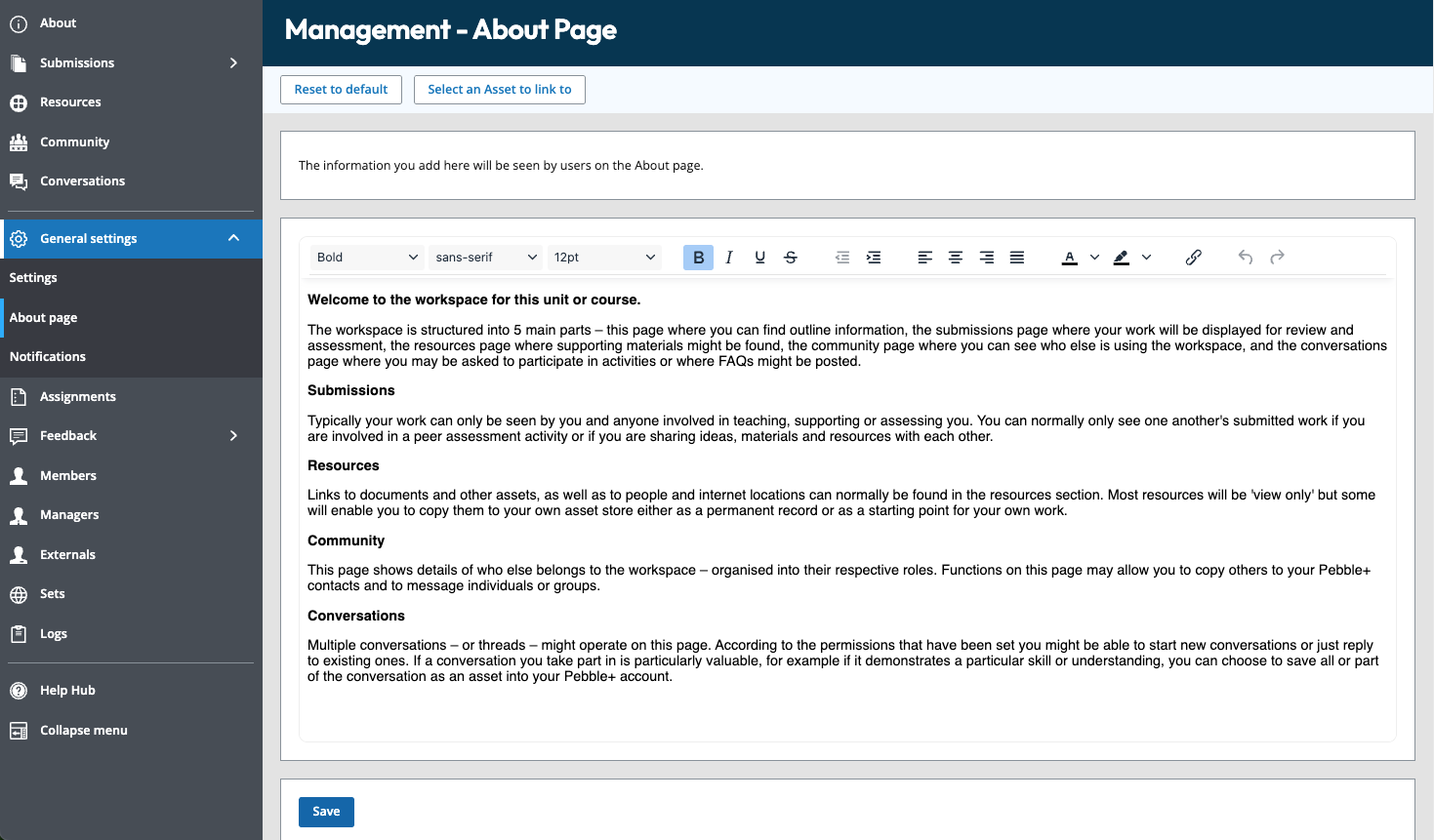
A default description is inherited from the region or organisation. This can be amended for an individual workspace.
To edit:
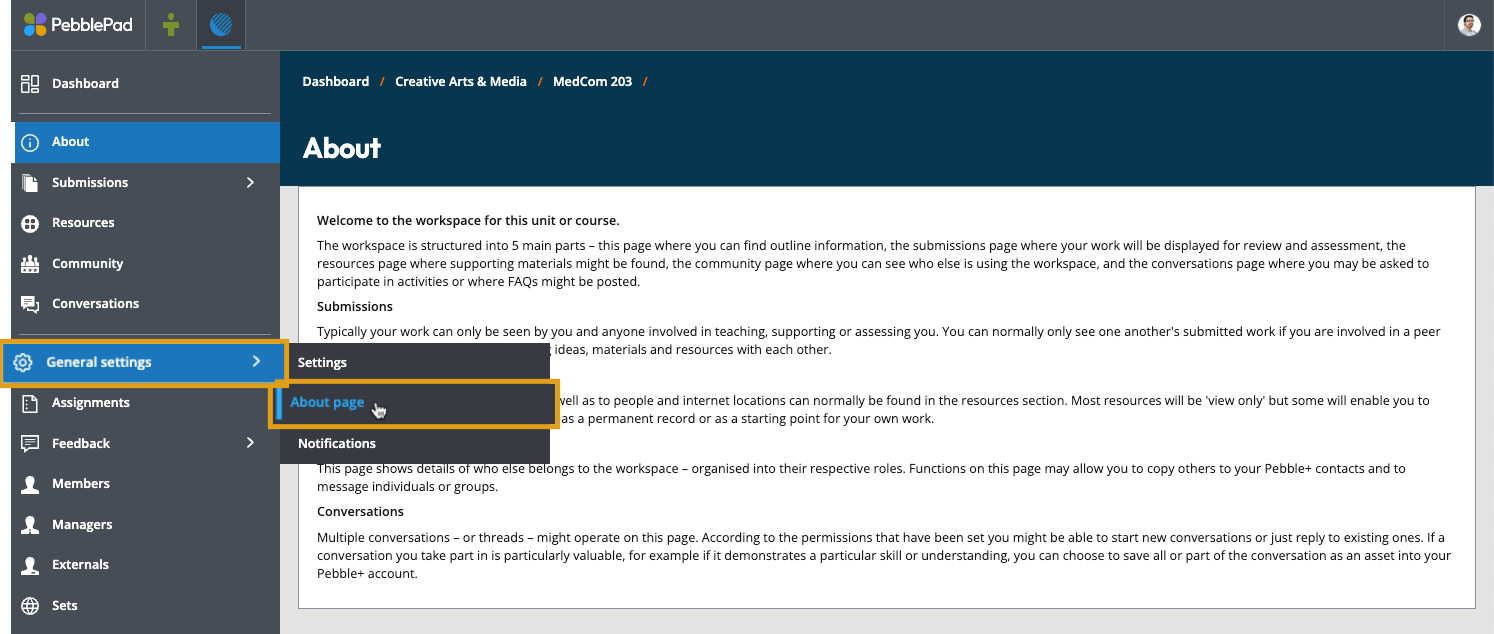
- In the workspace, hover your cursor over General settings
- From the pop out menu select About page
- You can then amend the default text, or select a pre prepared Asset to link to
Ensure About is visible in the workspace settings.