All full account holders in PebblePad have access to ATLAS, with their enrolment and permissions determining the actions available to perform management tasks.
About ATLAS managers
To match the three levels of ATLAS hierarchy, there are three levels of ATLAS manager. The higher the manager level, the greater the access.
- Organisation manager
- Region manager
- Workspace manager
Global administrators inherit ATLAS organisation manager permissions.
Organisation manager
This manager has full access to administer the organisation level of ATLAS.
To enrol:
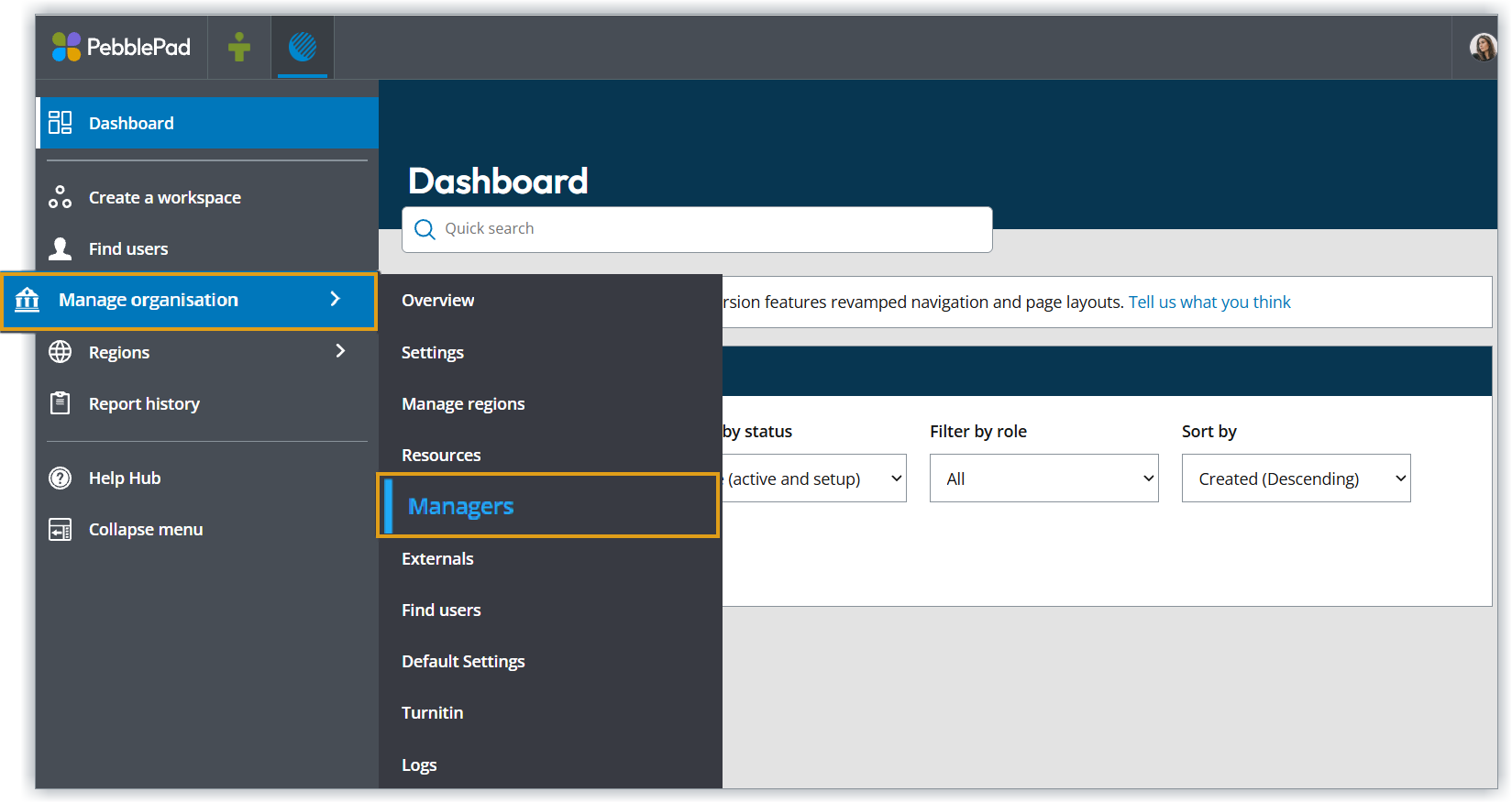
- On the ATLAS navigation menu, click the Manage organisation button.
- Click the Managers tab.
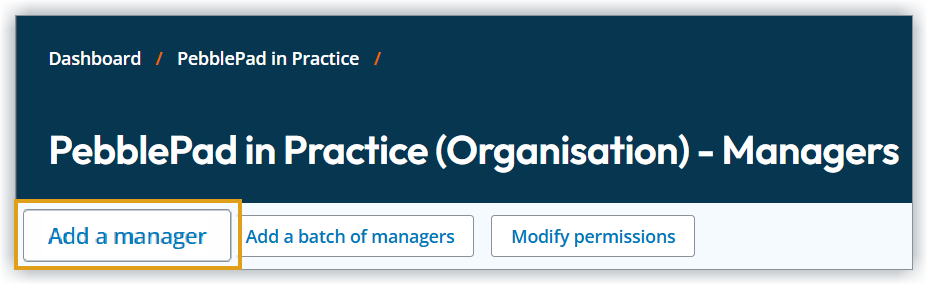
Click Add a manager.
Type the username or name into the fields and click Go.
Tick to select the account and click Save.
Click a role to assign it to the account - manager or assistant.
Permission roles
When enrolled, one of two permission roles can be assigned to determine the account's actions:
- Organisation owner
- Organisation assistant

To modify:
- In Managers tab, click Modify permissions.
- Tick and untick to modify the role of manager and/or assistant.
- Click Save.

Changes made to permissions will update the corresponding accounts instantly.
The Personalise role is can give customised permissions to one or more account.Region manager
This manager has full access to administer at a region level of ATLAS for each region where the account is enrolled.
To enrol:
- On the ATLAS navigation menu, click the Regions button
- Select the region.
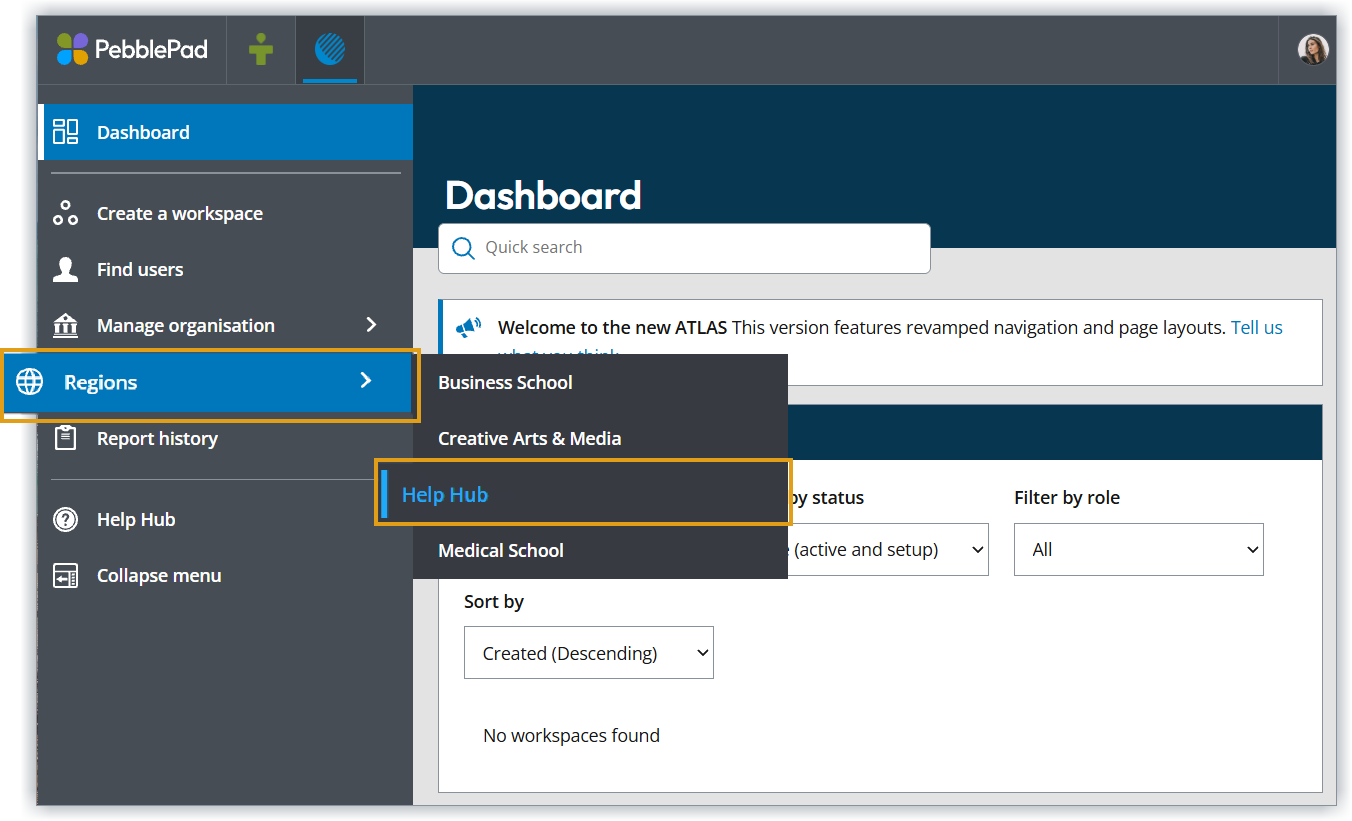
Click the Managers tab.
Click Add a manager.
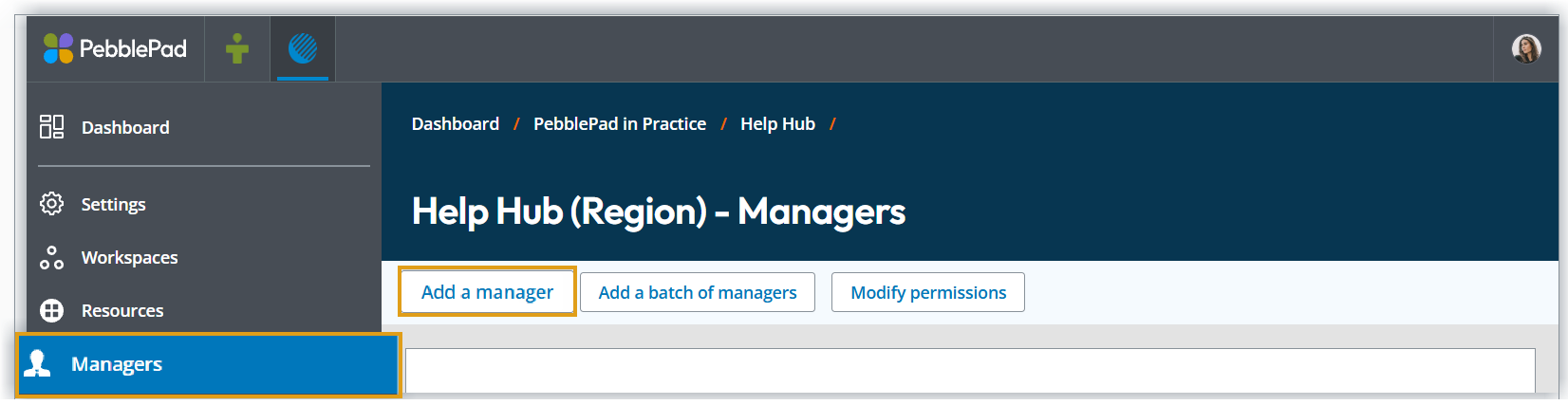
Type the username or name into the fields and click Go.
Tick to select the account and click Save.
Click a role to assign it to the account - owner or assistant.
Permission roles
When enrolled, one of two permission roles can be assigned to determine the account's actions:
- Region owner
- Region assistant
To modify:
- In the Managers tab, click Modify permissions.
- Tick and untick to modify the role of manager and/or assistant.
- Click Save.
Changes made to permissions will update the corresponding accounts instantly.
An additional Personalise role is also available to give customised permissions to one or more account.Region creator
Without assigning full region manager status to an account, this role enables someone to:
- create a new workspace
- duplicate an existing workspace
- set-up a PebbePad assignment link with a VLE or LMS.
To enrol:
- In the ATLAS navigation menu, click the Regions button
- Select the region
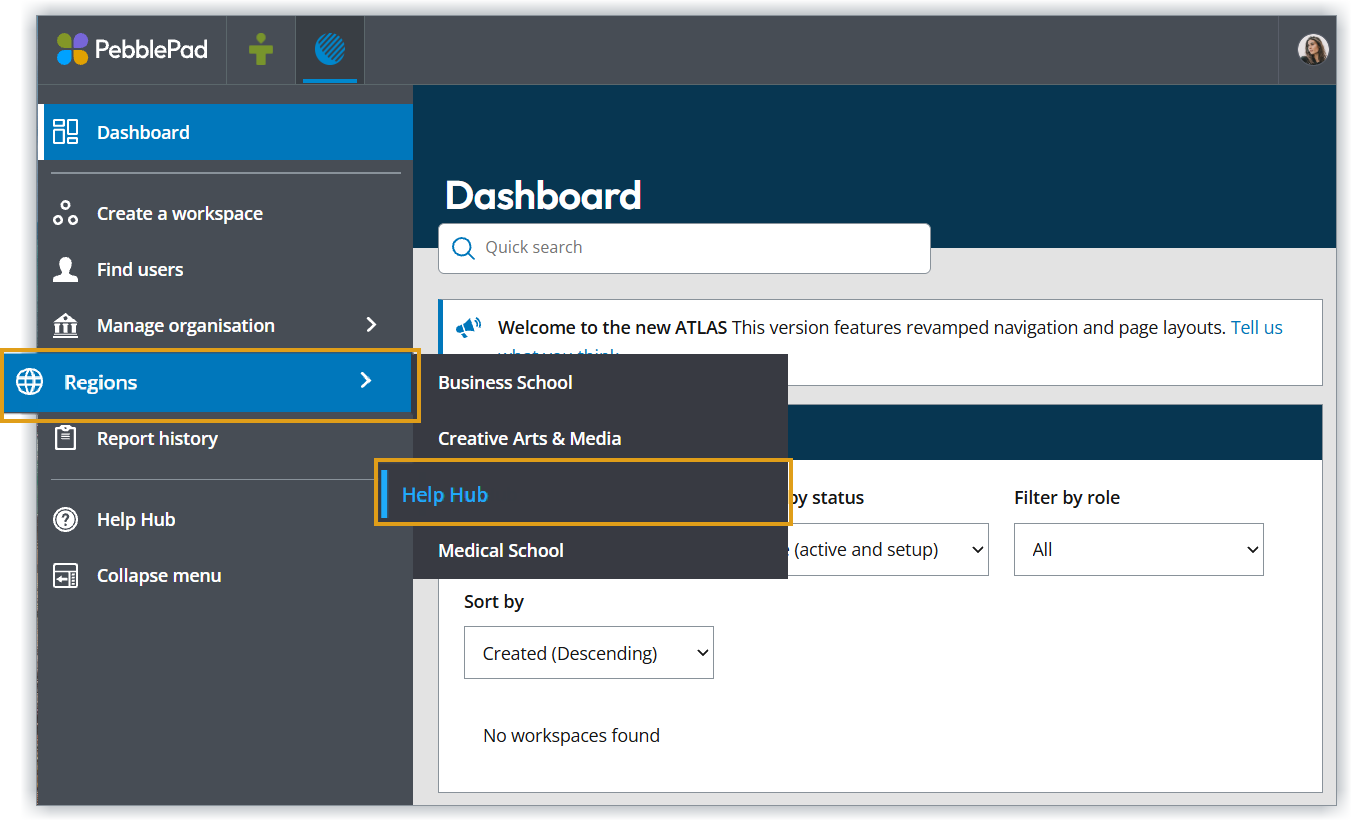
- Click the Creators tab.
Click Add a Creator.
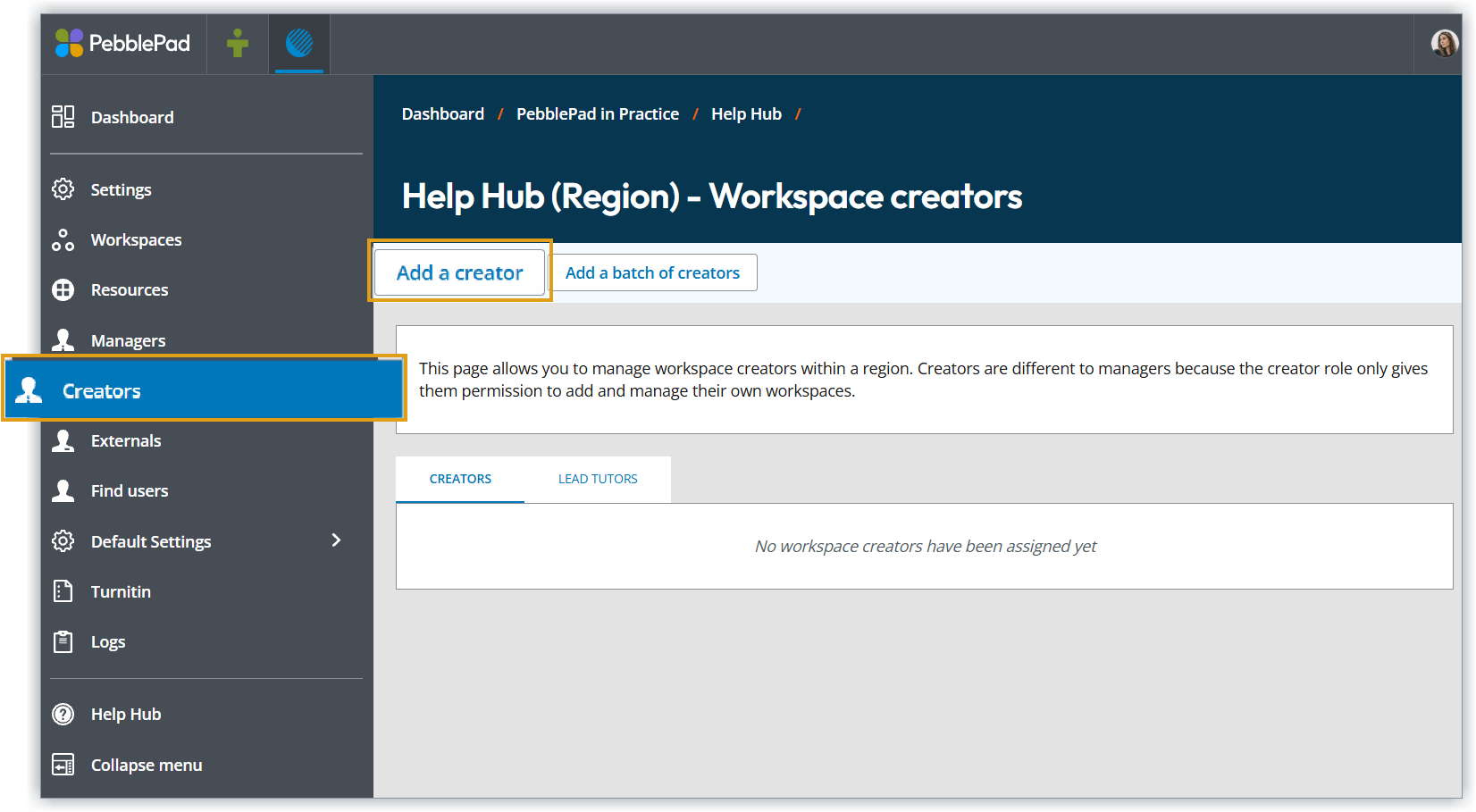
Type the username or name into the fields and click Go.
Tick to select the account and click Save.
Workspace lead tutors
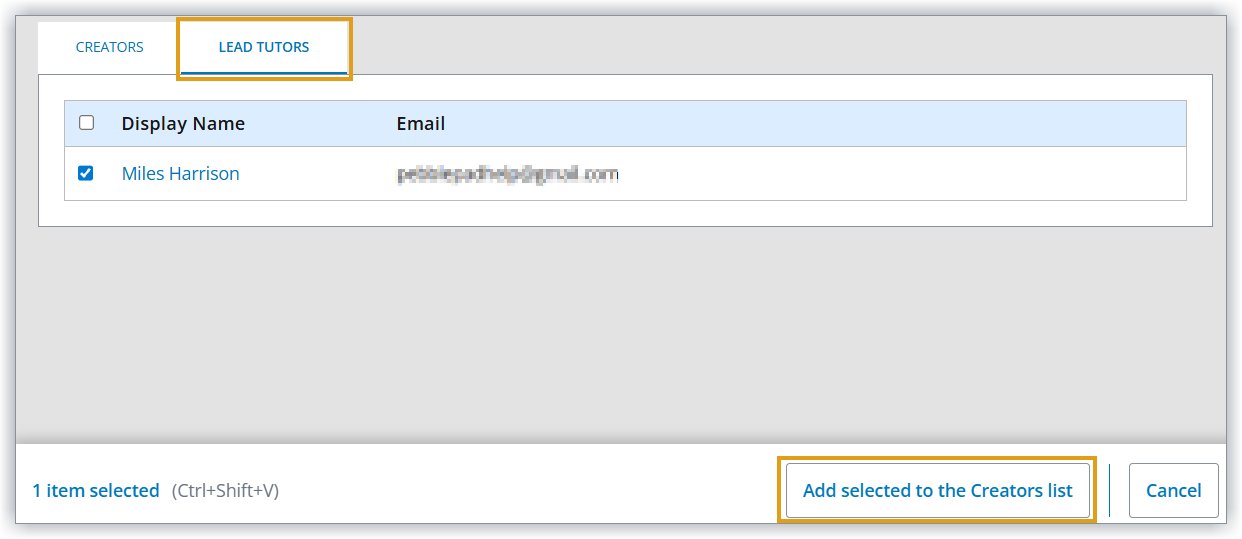
Where an account is already enrolled as a workspace manager with lead tutor permissions, they can quickly be added a region creator.
To convert:
- When in the region, click the Creators tab.
- Click the Lead tutors sub tab.
- Tick the name of the lead tutor.
- Click Add selected to the Creators list.